Put your app on your own server
How geek.dk itself got online – with the real screenshots along the way.
If you built a static site (HTML and CSS), use Netlify, as in the track Build your website with AI. It is free and easier. But once your app has a backend, a database or live connections, it needs to run somewhere that is always on. The cheapest and most educational option is your own virtual server (a VPS).
We use Hetzner because it is cheap and based in the EU. Everything works the same way with other providers.
Cost: about €6.50 a month for a small server with 4 GB RAM. You pay by the hour, so if you delete the server after a day, it costs next to nothing.
1. Create an SSH key
An SSH key is a pair: a private key that never leaves your computer and a public key you give to the server. Then you can log in without a password – and nobody can guess their way in.
ssh-keygen -t ed25519 -f ~/.ssh/my_server -C "my-server"cat ~/.ssh/my_server.pubThe last line shows the public key (it starts with ssh-ed25519). You will need it in a moment. Never share the file without .pub.
2. Create a project
Create an account at hetzner.com, turn on two-factor login right away, and open the Cloud Console. A project groups everything that belongs to one app – servers, firewalls and IP addresses. It is free.
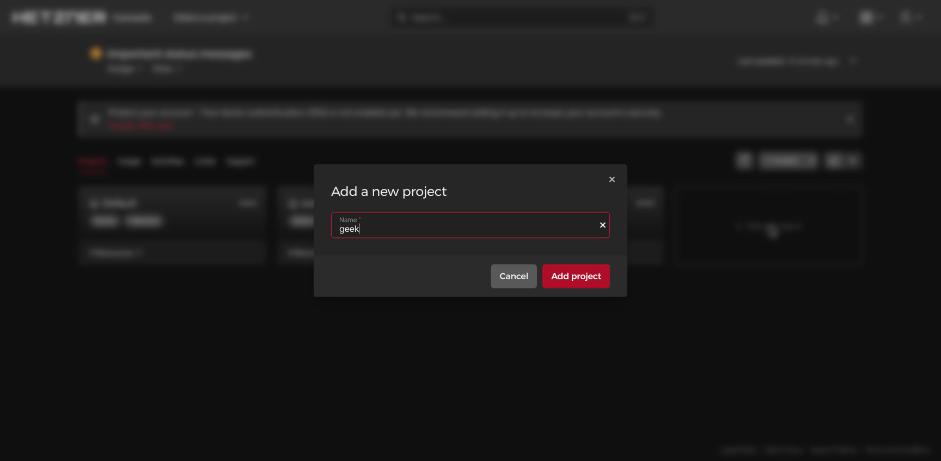
3. Create a server
Click Create server in your new project. The page has a number of sections, and the price is always shown on the right.
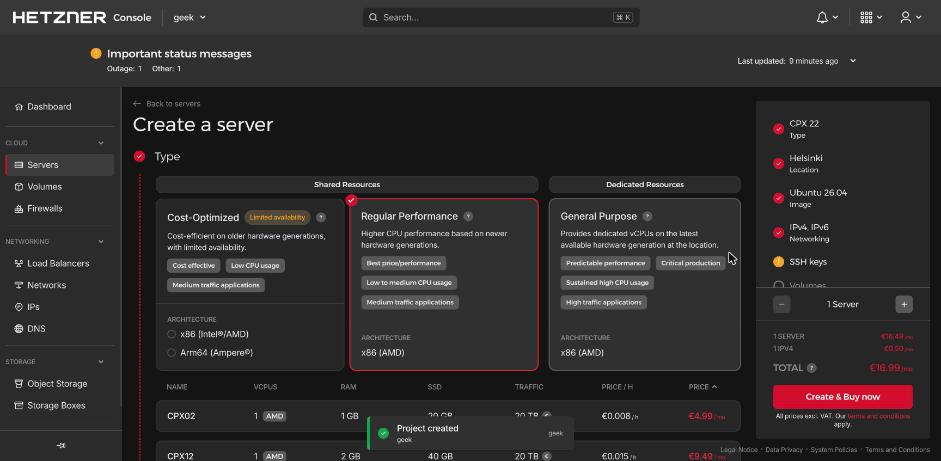
Type: how powerful?
- 4 GB RAM is enough for an app with a database. Less than that gets tight when you build your app on the server.
- Cost-Optimized is the cheapest. Arm64 (Ampere) is often both the cheapest and available when the others are sold out – and Docker images for Node, Postgres and nginx exist for ARM too.
- If it says Limited availability or Not available, try another location.
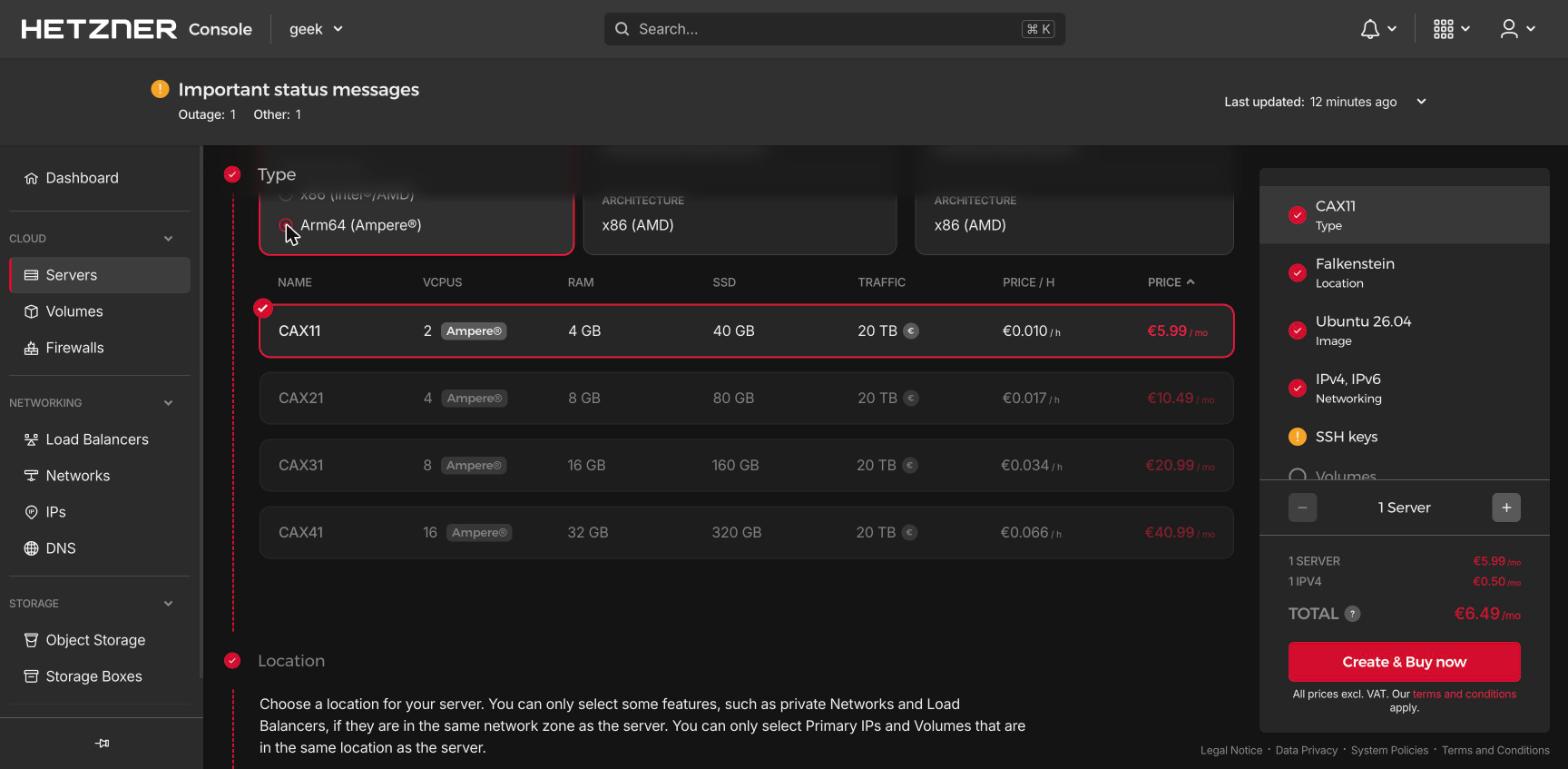
Location and operating system
Pick a location in the EU (Germany or Finland). As operating system, choose Ubuntu and the newest LTS version in the dropdown (e.g. 24.04). LTS gets security updates for years, and every tool supports it. A brand-new release can lack packages from e.g. Docker.
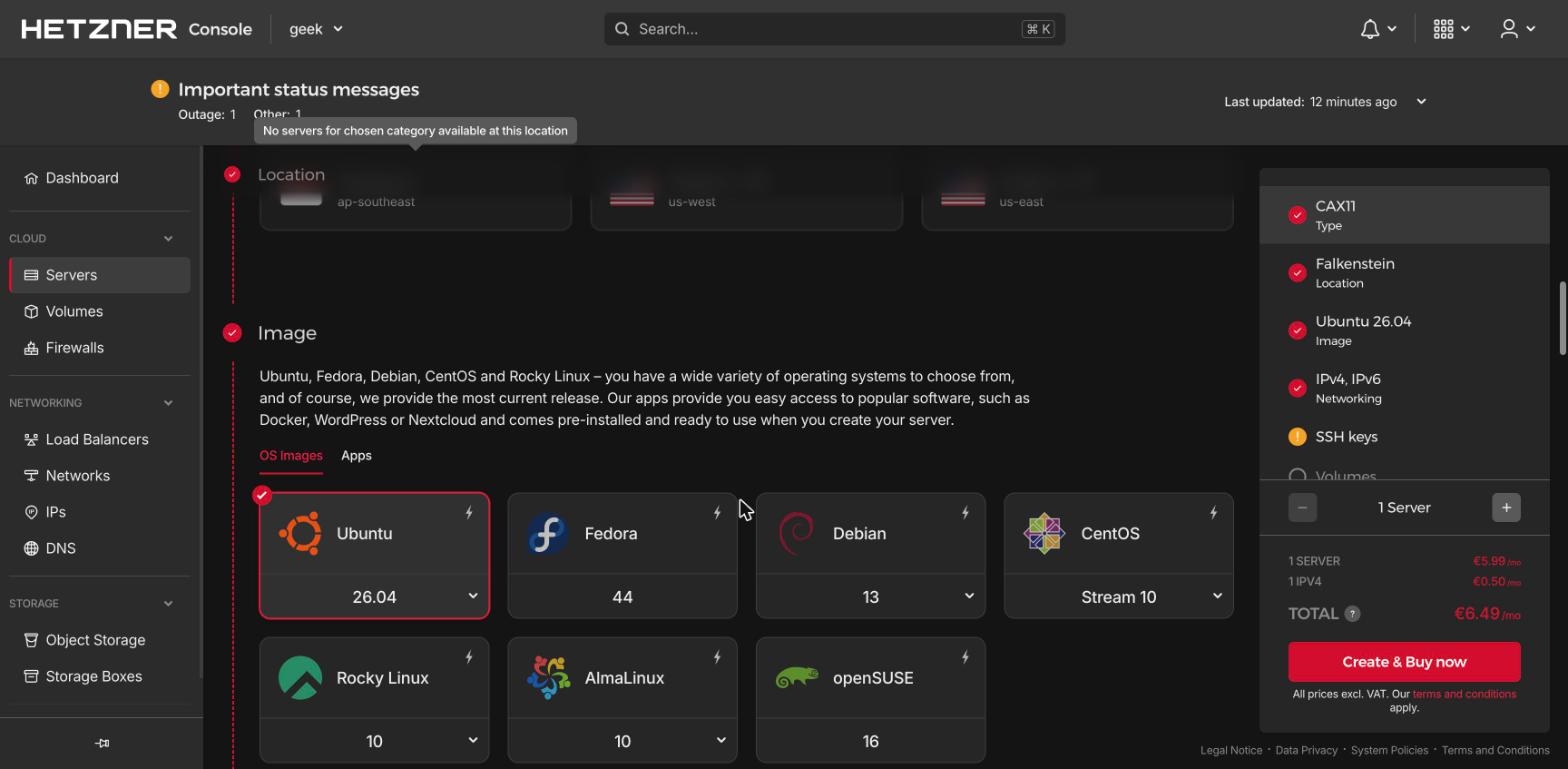
SSH key
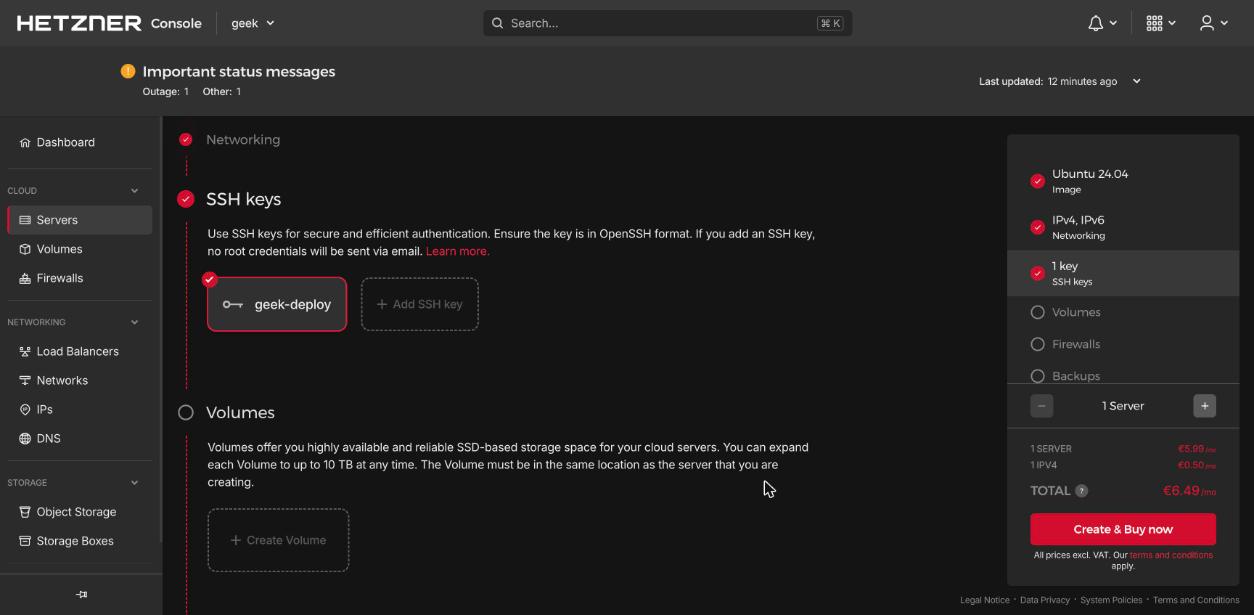
Click Add SSH key and paste the public key from step 1. With a key, Hetzner does not email you a root password – which is exactly what you want.
Name and buy
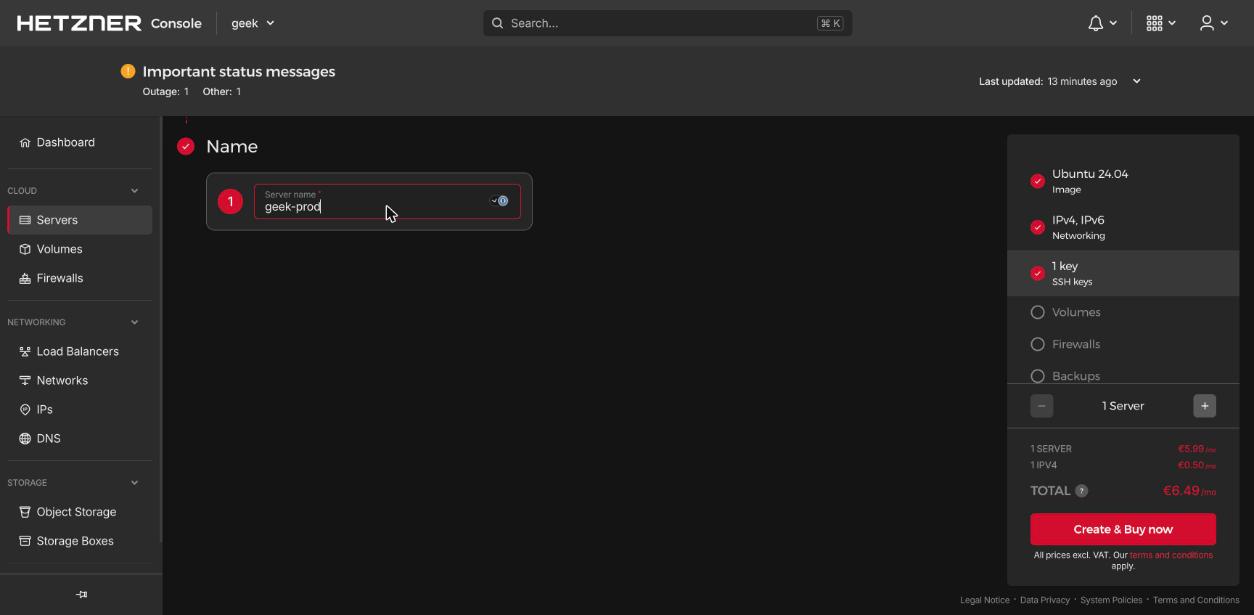
Give the server a recognisable name (e.g. my-app-prod). Check the price on the right – the IPv4 address costs a little extra – and click Create & Buy now.
After half a minute the server appears in the list with its IP address.
4. Log in for the first time
ssh -i ~/.ssh/my_server root@YOUR-IPAnswer yes to the fingerprint question. You are in.
5. Secure the server
A new server on the internet gets probed by bots within minutes. Do this first:
# Update everything and enable automatic security updatesapt-get update && apt-get upgrade -yapt-get install -y ufw fail2ban unattended-upgrades# Firewall: only SSH, HTTP and HTTPSufw allow OpenSSH && ufw allow 80/tcp && ufw allow 443/tcp && ufw --force enable# Key login only, never passwordssed -i 's/^#\?PasswordAuthentication.*/PasswordAuthentication no/' /etc/ssh/sshd_configsshd -T | grep -i passwordauthentication # must say: noAlso create a normal user for your app so it does not run as root:
useradd -m -s /bin/bash deploymkdir -p /home/deploy/.ssh && cp ~/.ssh/authorized_keys /home/deploy/.ssh/chown -R deploy:deploy /home/deploy/.ssh6. Swap: extra room for the build
Building a Next.js app can briefly use more than 4 GB RAM. Swap is a file on disk that works as extra (slow) memory, so the build does not crash:
fallocate -l 4G /swapfile && chmod 600 /swapfile && mkswap /swapfile && swapon /swapfileecho '/swapfile none swap sw 0 0' >> /etc/fstab7. Docker
Install Docker from Docker's own packages (follow Install Docker Engine on Ubuntu on docs.docker.com) and give your deploy user access:
usermod -aG docker deploydocker --version && docker compose versionWith Docker Compose you describe your whole app in one file: database, backend, frontend and an nginx in front that receives traffic on ports 80 and 443. Only nginx opens ports to the internet – everything else talks over an internal network.
8. Secrets: never in git
Database passwords, API keys and login secrets live only on the server – in an .env file that only your app user can read:
chmod 600 /opt/my-app/.envGenerate random secrets with openssl rand -hex 32. To send a key from your own computer, use read -s so it is neither shown on screen nor saved in your history.
9. Point your domain at the server
Wherever your domain's DNS is managed, create A records pointing to the server's IP:
| Name | Type | Value |
|---|---|---|
@ (the domain itself) | A | YOUR-IP |
www | A | YOUR-IP |
api | A | YOUR-IP |
Do not touch your MX and TXT records – they handle your email. The change can take from minutes to a few hours. dnschecker.org shows the status.
10. HTTPS with Let's Encrypt
Once the domain points to the server, get a free certificate from Let's Encrypt with certbot. It renews itself every three months. The padlock is in place, and your login cookie cannot be intercepted.
Checklist
- Two-factor on your Hetzner account
- SSH key only, no passwords (
sshd -Tsays no) - Firewall with only 22, 80 and 443
- The app does not run as root
- Secrets only in
.envon the server (600) - Nightly database backup – ideally with a copy somewhere other than the server
- HTTPS on every address
Stuck? Ask in the forum under Backend & ops – or ask the Guide at the bottom of the page.